
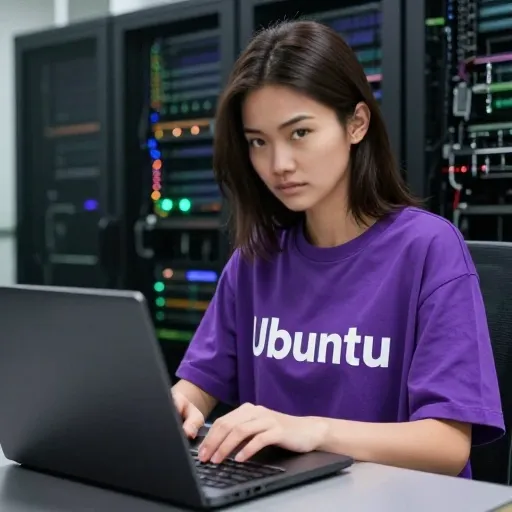
Finally, Real Linux on ARM Laptops Might Stop Being a Giant Pain in the Nec. We have all had that recurring daydream at some point: an ultra-thin laptop with a battery that just refuses to die, running a pure, unfettered Linux environment without random driver panics or burning your thighs. For years, that dream felt tantalizingly close, yet perpetually locked behind awkward workarounds and broken promises.
If you have spent any time over the past decade trying to run a daily-driver Linux setup on ARM-based hardware, you already know the emotional rollercoaster. We watched Apple drop their M-series chips and redefine what portable computing looked like, while the open-source world was left scrambling to reverse-engineer bootloaders through heroic community efforts like Asahi Linux. Over on the PC side, Windows on ARM arrived, accompanied by machines like the Lenovo ThinkPad X13s and early Snapdragon X Elite hardware. They looked gorgeous, and the battery stats sounded unreal, but the moment you tried flashing an Ubuntu ISO, reality slapped you in the face. Wi-Fi refused to initialize, the touchpad stuttered, GPU acceleration was nonexistent, and suspend mode essentially meant you shut the lid only to find a bricked, battery-drained toaster an hour later.
That frustrating era might finally be coming to an end. Canonical and Qualcomm just dropped news that they are teaming up to bring fully native, certified Ubuntu support to the upcoming Snapdragon X2 Series platforms. Slated for 2027, this is not just another half-baked enthusiast port where some brave soul compiles an experimental kernel and tells you to disable audio if you want sleep states to work. This is a tier-one silicon giant and the biggest commercial Linux vendor in the world locking arms to deliver turnkey, out-of-the-box OS images.
To understand why this is a massive deal, look at the hardware Qualcomm is prepping under the hood. The Snapdragon X2 Series is shaping up to be an absolute monster. We are talking about up to eighteen custom Qualcomm Oryon cores clocked at up to 5.0 GHz, backed by blistering LPDDR5x memory pushing 228 gigabytes per second across a 48-gigabyte pool. In human terms, that means you can spin up heavy local builds, compile massive Rust or C++ codebases, run a dozen microservices in containers, and keep hundreds of browser tabs open without the machine breaking a sweat or chewing through half its battery before lunchtime.
Then there is the sheer AI horsepower. Qualcomm is throwing in a dedicated Neural Processing Unit that delivers 80 TOPS of compute. Lately, the tech world has thrown around the phrase “agentic AI” so much it has almost lost all meaning. But for software engineers, data scientists, and autonomous system builders, having eighty trillion operations per second sitting silently on your local silicon changes the entire game. We are moving away from simple chatbots that feed you text suggestions toward background agents that actively write tests, refactor repositories, analyze security logs, and automate workflows in real time.
Historically, running those kinds of local AI pipelines on Linux with modern chips was a nightmare because the NPUs were basically paperweights. The proprietary silicon drivers simply did not exist for open-source kernels, leaving developers to fall back onto the CPU or struggle with clunky GPU translation layers. By certifying Ubuntu directly on the Snapdragon X2, Canonical is ensuring that open-source AI runtimes—whether you are talking about PyTorch, ONNX Runtime, Hugging Face transformers, or local inference engines like llama.cpp—can talk directly to that 80 TOPS NPU right out of the box. You get lightning-fast local inference without sending your proprietary code to an expensive cloud API, and you can do it unplugged at a coffee shop without watching your battery gauge plummet.
There is another angle here that many people overlook: pure developer workflow symmetry. Most modern cloud workloads, whether hosted on AWS Graviton, Google Cloud, or Azure, run on Linux, and an increasingly massive chunk of them runs on 64-bit ARM architecture. For years, developers have been stuck developing on x86 machines or macOS, dealing with weird cross-compilation quirks, subtle architecture discrepancies, or the overhead of Docker virtualization layers trying to simulate target environments. A native Ubuntu ARM laptop bridges that gap completely. The container you test on your local Oryon cores is the exact same binary architecture and operating system base running in production on a cloud server. That eliminates an entire category of “works on my machine” bugs that have plagued engineering teams for years.
Of course, the enterprise crowd cares about things that go way beyond raw benchmarks and geeky developer ergonomics. Companies need security, compliance, and predictable maintenance. This partnership is explicitly designed to check those corporate boxes. With Qualcomm baking in their Secure Processing Unit and Canonical offering up to fifteen years of long-term support through Ubuntu Pro, system administrators can treat these ARM laptops just like any other enterprise workstation. They get kernel livepatching without forced reboots, compliance certifications like FIPS and DISA-STIG, and centralized fleet management through Canonical Landscape. That means an IT department can deploy hundreds of high-efficiency Linux laptops, push security policies, and manage remote updates seamlessly without having to mess around with custom shell scripts or fragile third-party management tools.
Add in Wi-Fi 7 and optional native 5G connectivity, and you are looking at a machine that could redefine field engineering, security research, and remote DevOps. You could be sitting in an airport terminal, hooked up to an ultra-fast cellular connection, running localized intrusion-detection models or orchestrating remote clusters, all while knowing your battery will easily last through a cross-continental flight and the entire workday that follows.
Naturally, healthy skepticism is completely warranted here. The target year is 2027, which feels like a lifetime away in Silicon Valley time. It tells us that making Linux truly sing on modern ARM laptop platforms—ironing out the mainline kernel drivers, perfecting power profiles, tuning the Adreno GPU pipelines, and ensuring seamless hardware video decoding—takes an immense amount of deep plumbing. Qualcomm and Canonical are clearly doing the hard work early so that when these devices hit retail shelves, users will not be greeted by a blinking cursor, broken trackpads, or half-functional sleep states.
The promise of an ultra-efficient, highly portable developer powerhouse running a pristine Linux distribution has been dangled in front of our faces for far too long. If Canonical and Qualcomm actually pull this off with the Snapdragon X2, we might finally witness the moment where Linux on ARM moves from a messy, niche hobbyist experiment into the premier daily driver for serious software development.
Keep an eye on upstream Linux kernel patches and developer preview builds over the next year to track how driver support evolves. Do not rush out to replace your current workhorse just yet, but do start auditing your internal toolchains and local container workflows for ARM compatibility today. Preparing your software stacks now will make the leap entirely seamless once these high-efficiency machines drop, giving you a massive edge in productivity and local computing freedom.
Source: https://canonical.com/blog/ubuntu-coming-soon-to-qualcomm-snapdragon-x2-series-platforms