
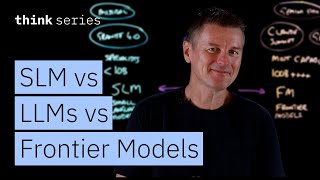
You have likely heard the term LLM, or Large Language Model, whenever someone talks about Artificial Intelligence today. However, you might also start hearing other acronyms like SLM and FM, which stand for Small Language Model and Frontier Model. It can get quite confusing because they are not entirely separate categories. We should look at LLMs as the main umbrella term, while SLMs are the efficient specialists and Frontier Models are the cutting-edge experts. Let us explore what these terms actually mean and how we utilize them in the real world.
To understand these models, we first need to look at LLMs, as they are what most people imagine when they think of AI. These models are massive, typically containing tens of billions of parameters. When we talk about parameters, we are referring to the weights learned during the training process that determine what the model can do. Generally speaking, having more parameters allows the model to hold more knowledge, understand more nuance, and perform better reasoning. You can think of LLMs as generalists. They possess broad knowledge across many different subjects, from history to coding, and they can handle sophisticated, back-and-forth conversations. Because of their size, they usually run in the cloud or SaaS (Software as a Service) environments since they require significant GPU memory and processing power.
On the other hand, we have Small Language Models, or SLMs. As the name suggests, these are smaller, typically having fewer than 10 billion parameters. You might assume that an SLM is just a “worse” version of an LLM, but that is not the correct way to view it. Instead of being worse, they are specialists. Today, a well-tuned SLM can often match or even outperform a larger model at very specific, focused tasks. For example, IBM’s Granite models or open-source options from Mistral are excellent examples of SLMs. Then, at the very top of the hierarchy, we have Frontier Models. These are the absolute smartest models available, often with hundreds of billions of parameters. Models like Claude 3 Opus, Gemini Pro, or the latest GPT series fall into this category. What makes them “frontier” is their superior reasoning capabilities and their ability to integrate deeply with external tools. They are designed to handle the most complex tasks that require heavy logic.
Now that we know what they are, we must understand when to use them. You might wonder why we do not just use Frontier Models for everything since they are the smartest. The answer lies in strategy and efficiency. The choice of model depends entirely on the specific use case. Let us look at a scenario involving document classification and routing. Imagine a company receives thousands of documents daily, such as support tickets or insurance claims. Each document needs to be read, categorized, and sent to the right department. This is a perfect job for a Small Language Model. An SLM with 3 billion parameters requires far less computation per inference than a massive model. Classification is a straightforward pattern-matching exercise that does not need a genius-level AI. Furthermore, using an SLM allows you to run the model “on-premise,” meaning the sensitive data never leaves your secure environment. This is crucial for industries like finance or healthcare that must strictly follow privacy laws.
For a more complex scenario, such as customer support, an LLM is the better choice. Consider a situation where a customer contacts support because their billing does not match their expectations. This issue might be tied to a specific service configuration change and involves a long history of previous tickets. To solve this, the AI needs to pull information from a billing database, technical logs, and the customer’s history. It then needs to synthesize all this data to find a solution. An LLM works best here because of its generalization capabilities. Customer queries vary wildly; different people describe the same problem in different ways. An LLM, trained on a massive and diverse dataset, can understand these nuances and reason through relationships between different pieces of information, even if it has not seen that exact scenario before.
Finally, we have the use case for Frontier Models: autonomous incident response. Imagine a critical system alert comes in at 2:00 AM stating that application servers are failing. In the past, this would wake up a human engineer. Today, we can use a Frontier Model with agentic capabilities. This system receives the alert, queries monitoring tools, checks logs, identifies the root cause, and determines a fix. It might even execute the fix by calling APIs to restart services. This requires multi-step planning and execution. The model must break down a complex problem, evaluate its own results after each step, and adjust its approach. Only Frontier Models currently possess the strong reasoning chains required to maintain coherence across such a complex, autonomous workflow without getting confused.
Ultimately, whether you are looking at an SLM, LLM, or Frontier Model, they are all fundamentally language models. The secret to building great AI solutions is not simply picking the biggest brain available, but matching the capability to the need. You should use an SLM when you need speed, low cost, and data privacy. You should select an LLM when you need broad knowledge and the ability to generalize across different topics. And you should reserve Frontier Models for when you need the absolute best reasoning for difficult, multi-step problems. By choosing the right model for the right task, you create systems that are efficient, intelligent, and effective.