

Skip to content
Tutorial emka
Menu
  • Home
  • Debian Linux
  • Ubuntu Linux
  • Red Hat Linux
Menu

Mabox Linux 26.02 Released with New Audio Menu Features

Posted on February 25, 2026

Mabox Linux 26.02, a Manjaro-based distribution, has officially launched with significant improvements to its audio management system. This update introduces a redesigned audio menu that simplifies sound configuration for users, while maintaining the lightweight and user-friendly nature of the Manjaro platform.

The new audio menu replaces older tools like PulseAudio with PipeWire, offering better compatibility with modern applications and hardware. Developers focused on improving system stability, performance, and accessibility in this release. Key changes include enhanced sound card detection, improved Bluetooth audio pairing, and support for newer audio codecs.

The update also brings security patches and kernel updates to ensure better hardware compatibility and protection against vulnerabilities. Users can download the ISO file from the official Mabox Linux website, which provides detailed installation guides and documentation.

The audio menu now integrates seamlessly with desktop environments like KDE Plasma and Xfce, allowing users to adjust volume levels, switch audio devices, and manage sound profiles without leaving their current application. This release targets both casual users and developers who rely on precise audio control for multimedia projects or professional workflows.
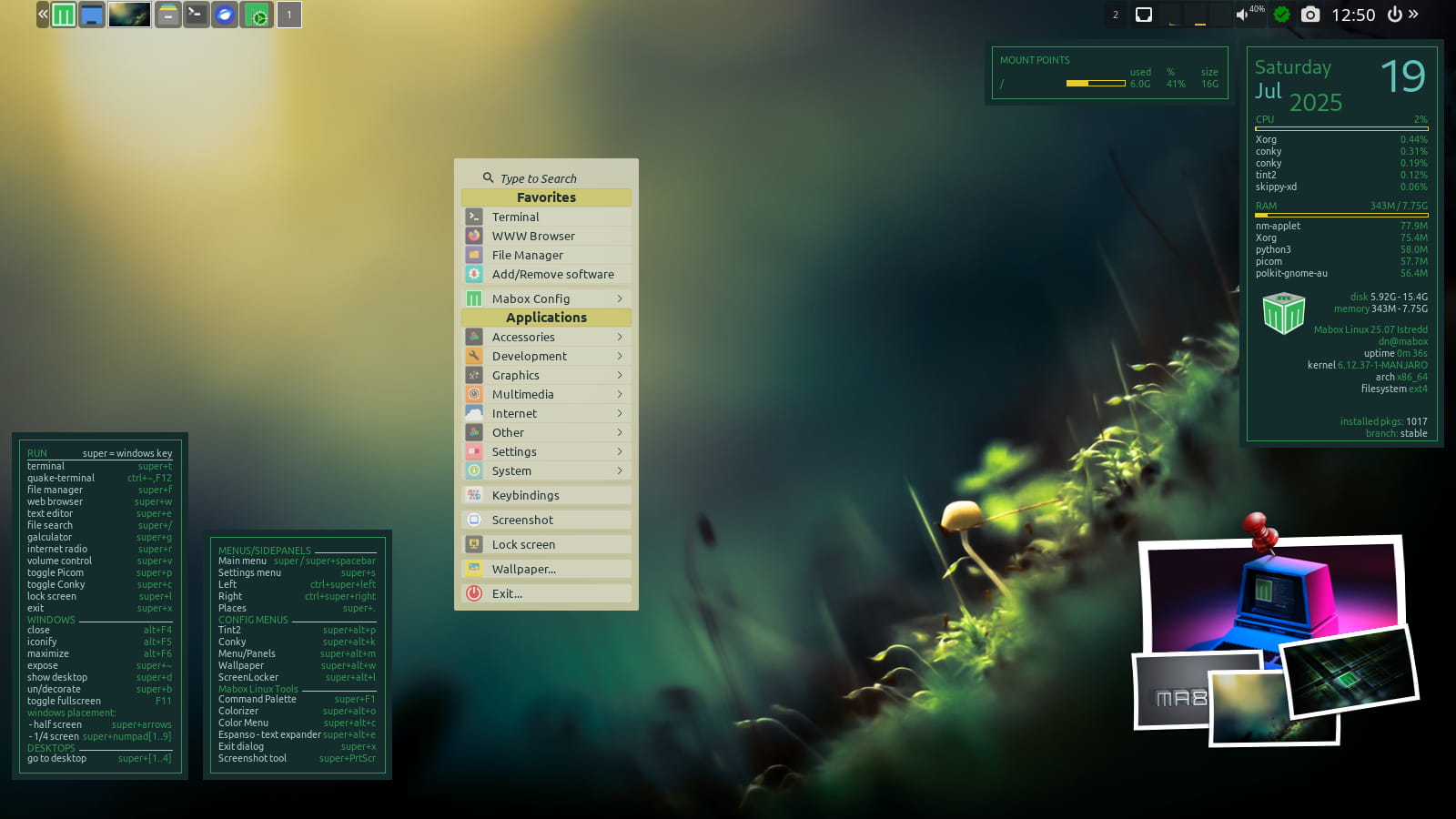
The team behind Mabox Linux emphasizes community contributions, with many features implemented based on user feedback from previous versions. The new audio menu uses a modular architecture, making it easier to customize and extend with third-party plugins.

For advanced users, the system provides command-line tools to fine-tune audio parameters, including latency settings and sample rate configurations. The distribution continues to leverage Manjaro’s rolling release model, ensuring users receive updates without needing to reinstall the operating system.

Security improvements include updated cryptographic libraries and hardened kernel configurations to prevent unauthorized access. The audio menu’s design also includes accessibility features, such as voice-activated commands and high-contrast visual indicators for users with disabilities.

This release demonstrates Mabox Linux’s commitment to modernizing audio management while preserving the simplicity and efficiency of the Manjaro platform. Users are encouraged to test the new features and report any issues through the official forums or bug tracking system.

The Mabox Linux team plans to release additional updates in the coming months, focusing on optimizing performance for newer hardware and expanding support for multimedia applications. The audio menu’s integration with PipeWire also enables better synchronization between audio and video streams, which is particularly useful for content creators and developers working on multimedia projects.

Overall, Mabox Linux 26.02 represents a major step forward in audio configuration capabilities, making it a compelling choice for users who require precise control over their system’s sound settings.

Leave a Reply Cancel reply

You must be logged in to post a comment.

Recent Posts

  • Why Ladybird Switches to Rust? Is it for Faster Browser Engine
  • What is OAC? An Introduction to the Next Generation Open Audio Codec
  • 0 A.D. Game Ends its 16-Year Alpha Phase
  • Mabox Linux 26.02 Released with New Audio Menu Features
  • WhatsApp to Add Scheduled Message Feature Soon
  • Ardour 9.1 DAW Released with Editor Fixes and MIDI Improvements Explained
  • Microsoft Removes Security Feature in Edge, Password Managers Must Know
  • MinIO Fork Launched: Open Source Community Enhances Object Storage
  • Why Ubuntu 26.04’s use OpenJDK 25 Default?
  • What New in DietPi 10.1? the Latest Lightweight SBC OS Update
  • Is It True: Microsoft Notepad Will Have Image Support?
  • KDE Plasma 6.7 Adds Desktop Switching in Overview Explained
  • What’s New in Clonezilla Live 3.3.1? Exploring the New Features and Linux Kernel 6.18 Integration
  • How to Automate Your Home Lab Using Raspberry Pi and Cron Jobs
  • KDE Plasma 6.6.1 Released with Major Stability Improvements
  • What new in Apache NetBeans 29? A Look at the Latest Major IDE Update
  • Why is KaOS Moving Away from KDE Plasma? Here is the Explanation
  • Firefox 148 Now Available: New Features & Improvements Explained
  • What is Freeform Rotate in Paint? Here is the Definition and How to Use it
  • ProtonUP-Qt v2.15 Adds dwProton and Fixes Lutris Issues
  • Transmission 4.1.1 Released with Faster Performance and Better Efficiency for Linux and macOS
  • Calibre 9.3 Released with Enhances KEPUB Support for E-Book Readers
  • Microsoft Retires Outlook Contact Masking Feature March 31, 2026
  • Google Maps Privacy Update: Why Reviews and Ratings Are Now Hidden for Unlogged Users
  • Ubuntu 26.04 New Modular Firmware System: Faster Updates and Reduced System Bloat
  • Inilah Alasan Ilmiah Kenapa Lampu Lalu Lintas Pakai Warna Merah, Kuning, dan Hijau!
  • Nonton Drama Dapat Duit? Ini Kebenaran Soal FunFlick yang Wajib Kalian Tahu!
  • Ini Cara Isi NPWP dan Rekening di EMIS GTK IMP 2026 Biar Tunjangan Lancar
  • Inilah Trik Farming AFK Roblox Fish It 24 Jam Tanpa Bikin HP Panas!
  • Hobi Nonton Drama Jadi Cuan? Ini Cara Ngebanyakin Diamond FreeReels Tanpa Ribet!
  • Prompt AI Menyusun Script Pola Suara Karakter agar Brand Jadi Ikonik
  • Prompt AI untuk Merancang Karakter Brand yang Ikonik
  • Prompt AI Audit Konten Sesuai Karakter Brand
  • Prompt AI Merubah Postingan LinkedIn Jadi Ladang Diskusi dengan ChatGPT
  • Prompt AI: Paksa Algoritma LinkedIn Promosikan Konten Kalian
  • Apa itu Spear-Phishing via npm? Ini Pengertian dan Cara Kerjanya yang Makin Licin
  • Apa Itu Predator Spyware? Ini Pengertian dan Kontroversi Penghapusan Sanksinya
  • Mengenal Apa itu TONESHELL: Backdoor Berbahaya dari Kelompok Mustang Panda
  • Siapa itu Kelompok Hacker Silver Fox?
  • Apa itu CVE-2025-52691 SmarterMail? Celah Keamanan Paling Berbahaya Tahun 2025
©2026 Tutorial emka | Design: Newspaperly WordPress Theme