

Ardour 9.1 is the most recent stable release of the well-known open-source Digital Audio Workstation. It is an all-in-one software solution for recording, mixing, and mastering audio on Linux, macOS, and Windows. This version focuses on refining the user interface and fixing technical bugs that hindered professional creative workflows.
Ardour has long been a staple in the open-source community, providing a free and flexible alternative to proprietary software like Pro Tools or Ableton Live. However, the 9.1 update specifically targets the “quality of life” improvements that users have been asking for. The core of this update lies in the refined editor interface and the significantly improved MIDI handling. For those who frequently deal with complex arrangements, the editor fixes are a major highlight. The developers have addressed inconsistent timeline snapping, which used to be a bit of a headache when trying to align audio clips perfectly. By optimizing timeline navigation, the software now feels much more responsive when you are scrubbing through heavy audio files or adjusting clip positions on a crowded timeline.
Furthermore, the technical side of memory management has seen a boost. Ardour 9.1 handles memory allocation much more efficiently now. This is a big deal because it prevents those annoying freezes or crashes that often happen during resource-intensive tasks, like rendering a track with dozens of active plugins. Speaking of plugins, this update brings better integration for VST3 and LV2 formats. It even includes a built-in plugin manager, so you don’t have to jump out of the DAW just to organize your library or check for updates. This streamlined approach really helps in keeping the creative momentum going without technical interruptions.
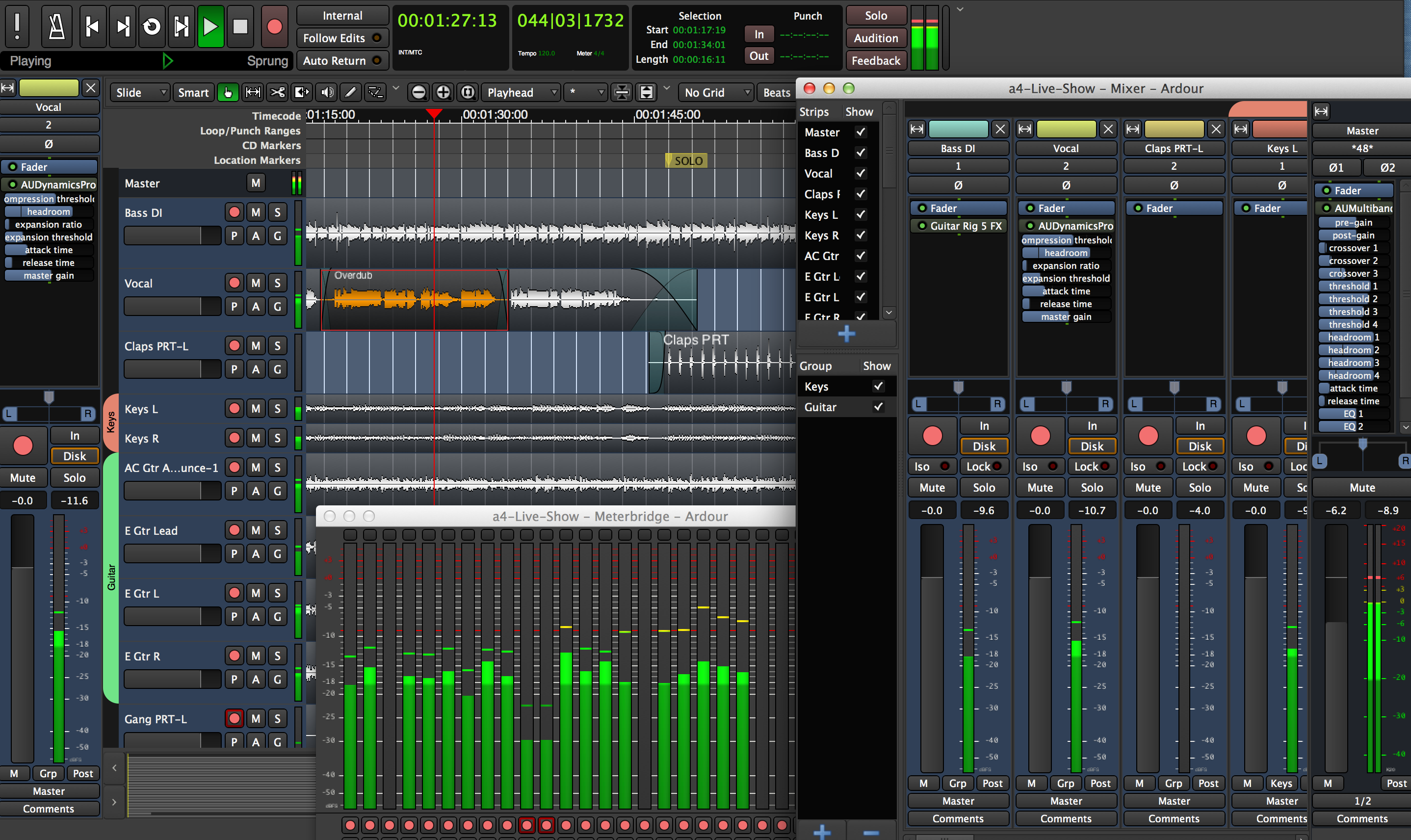
On the MIDI side of things, Ardour 9.1 is a significant leap forward. It now supports the newer MIDI 2.0 protocol. This is quite technical, but essentially, it allows for a much richer data exchange between your software and hardware controllers. If you are using modern MIDI gear, you’ll notice more precise control over your virtual instruments. There is also a new “MIDI learn” mode. This feature automatically detects and maps your controller inputs, which basically means you don’t have to spend hours manually configuring every knob and slider on your desk. They also added a MIDI merge operation, which lets you combine multiple MIDI tracks into one, making the editing process for complex orchestral or electronic compositions much cleaner.
Performance-wise, the update leverages hardware acceleration more effectively. It uses your GPU (graphics card) resources to help render waveforms and visual effects in the mixer. This results in smoother playback and lower CPU consumption, which is a lifesaver if you are working on a laptop or an older computer. They have also improved disk I/O handling and rendering algorithms, meaning your final audio exports—especially for high-resolution ALAC or FLAC files—will be faster than before.
If you are looking to get started or update your current setup, here are the key technical highlights to look out for:
- Timeline Optimization: Reduced lag when moving clips and improved snapping accuracy for better rhythmic alignment.
- Enhanced MIDI Mapping: Full support for MIDI 2.0 and a simplified MIDI learn mode for hardware controllers.
- MIDI Merge Feature: Ability to consolidate several MIDI regions into a single track for easier arrangement management.
- GPU Hardware Acceleration: Shifting the visual load to the GPU to ensure the interface remains fluid during heavy playback.
- Plugin Management: A dedicated internal manager for VST3 and LV2 plugins to reduce external software dependency.
- Refined UI: A new dark theme option and updated tooltips to help beginners navigate the mixer and automation lanes more easily.
To wrap things up, Ardour 9.1 is more than just a minor patch; it represents a serious commitment to stability and professional-grade performance. By addressing the small friction points—like timeline snapping and MIDI mapping—the developers have made the workstation much more inviting for newcomers while keeping it robust for veterans. If you are currently working on complex audio projects or just starting out with open-source tools, updating to version 9.1 is a logical step. It ensures your workflow stays smooth and your system resources are utilized efficiently. I highly recommend checking out the official release notes and downloading the update to experience these improvements firsthand.