

TinyMediaManager is a comprehensive software tool designed to organize and manage digital media collections by automatically fetching metadata, downloading artwork, and renaming files to ensure they are correctly identified by media players.
It serves as a powerful backend utility for curators of personal content, utilizing online databases to retrieve accurate details such as cast lists, plot summaries, and release dates. When combined with Jellyfin, a free and open-source media system that enables users to manage and stream their media to any device, it creates a robust entertainment ecosystem.
While Jellyfin handles the playback and streaming aspect, TinyMediaManager acts as the librarian, ensuring that every file is sorted, labeled, and presented beautifully, effectively solving the common issues of disorganized file structures and incorrect metadata matching.
I have always held a deep appreciation for Jellyfin because it grants me the freedom to stream my favorite movies and television shows whenever I want, without the anxiety of a streaming service suddenly removing content from its library due to licensing issues. However, despite my love for the platform, maintaining the actual media library has often felt like a losing battle.
My collection was a chaotic mess; clicking on a movie poster would frequently result in a completely different documentary playing, and television shows rarely displayed their episodes in the correct chronological order. Attempting to fix every single file manually was an incredibly tedious task, requiring strict adherence to the server’s specific file organization recommendations just to map the metadata correctly.
This changed completely when I discovered the TinyMediaManager container. Using this tool, which is free for personal use, and deploying it via Docker transformed my workflow, resolving my ongoing struggles with metadata scrapers and helping me finally tidy up my digital library.
The journey to a disorganized library began with my passion for cinema and physical media. Over the years, I befriended fellow cinephiles and co-owned various physical discs, eventually building a decent library of content I loved to rewatch.
There was a specific instance where I loaned my “Band of Brothers” Blu-ray set to a friend who had a writer, and knowing I likely wouldn’t get it back, I created a digital backup. Years of taking similar digital backups left me with a hard drive full of chaotic filenames and a nonsensical folder structure. This is where TinyMediaManager shines. It is a Java-based application compatible with Windows, macOS, and Linux.
While it typically comes as a standard installer, I opted to run it as a Docker container on my home server, sitting alongside my other self-hosted applications. The setup was remarkably fast; it took less than five minutes to add my existing Jellyfin media folders to the Docker Compose file and get the system running.
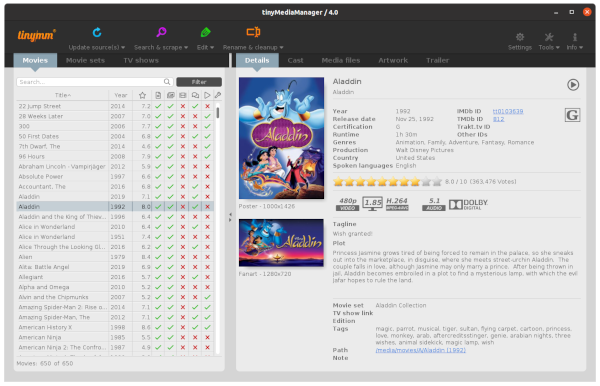
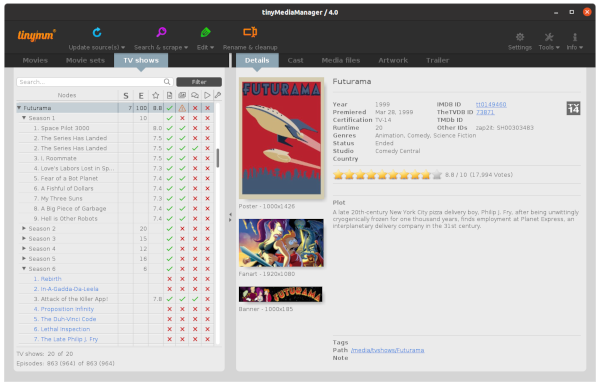
The application boasts an excellent graphical user interface (GUI) that significantly simplifies the organization of TV and movie libraries. It ensures that content has the correct metadata, which allows for perfect synchronization with Jellyfin. Instead of painstakingly fixing seasons or episodes one at a time, I simply select a metadata provider to assign the correct details to an entire show at once.
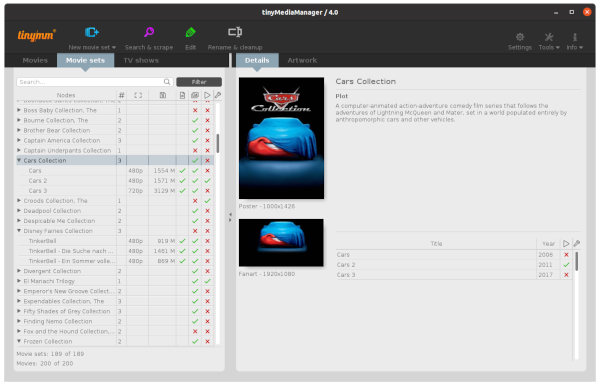
The same efficiency applies to movies, particularly those that are part of a sequence or anthology. While the tool does lock some specific metadata providers behind a paid license, the free features are substantial. Previously, I had tried using Jellyfin’s built-in tools to fix the metadata for my backups, but it was a struggle. I could not fix filenames in bulk within the server, and reorganizing shows by creating season folders and renaming episodes was becoming a massive chore.
TinyMediaManager works wonderfully at identifying, scanning, and scraping metadata for all selected media. It is deeply satisfying to have granular options for searching and scraping data for an entire show or just a single episode. Beyond just text data, the tool allows me to hand-pick the artwork, such as the show’s poster, which is a level of customization not yet fully available inside Jellyfin itself.
Perhaps the biggest time-saver is the ability to rename files to a specific format automatically. I genuinely regret not using this tool before I originally dumped all my files into my server. It even allows me to keep downloaded data in a separate folder for verification before replacing the data in the live library, ensuring no hardlinks are necessary.
The software truly excels in bulk operations, addressing the inconsistent filenames I had collected over the years. Because of these inconsistencies, Jellyfin often failed to detect the correct years or specific episodes, such as “Behind the Scenes” footage. TinyMediaManager allows me to select multiple files, fetch their metadata, rename them, and create NFO (information) files in a single, streamlined workflow.
After using this tool, I turned off the automatic data refreshing in Jellyfin to prevent conflicts between the two systems. Now, I simply trigger a library scan in Jellyfin manually to ensure the new, correct images and data are displayed. It is a small effort for the massive benefit of having a perfectly organized, professional-looking personal streaming service.
Website: https://www.tinymediamanager.org