
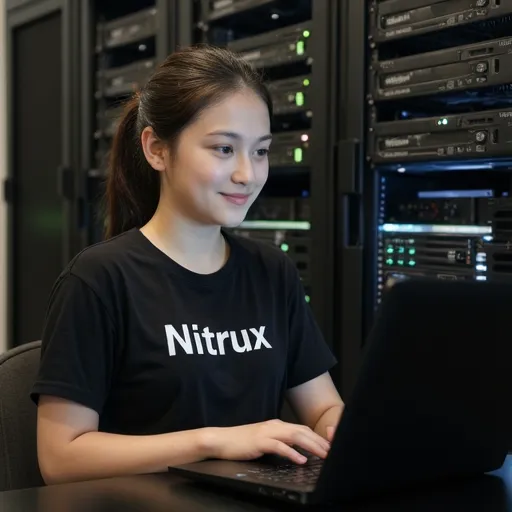
Welcome back, class. Today, we are exploring the latest release of Nitrux 6.0, a Linux-based operating system that has gained a reputation for being both visually stunning and technically advanced. This update introduces Linux Kernel 6.19, promising a more efficient and secure computing experience for students and professionals alike.
The heart of any operating system is its kernel, and the inclusion of Linux Kernel 6.19 in Nitrux 6.0 is a significant milestone. You can think of the kernel as the bridge between your computer’s software and its physical hardware. Version 6.19 brings sophisticated updates to hardware compatibility. For instance, if you are using a very new laptop, this kernel ensures that your processor and graphics card communicate effectively, reducing the likelihood of system crashes. It also introduces the latest drivers for USB4 and Wi-Fi 7. While Wi-Fi 7 is still relatively new, having built-in support means your system is “future-proofed,” allowing for much higher data transfer speeds and lower latency when you eventually upgrade your router.
Beyond hardware support, the 6.19 kernel improves system stability through better resource management. It uses advanced schedulers to decide which applications get CPU power first. For those of you who enjoy multitasking—perhaps writing a report while streaming music and having twenty browser tabs open—this means the system stays responsive. It prevents one heavy application from “freezing” the rest of your desktop. Additionally, this version addresses power management. For laptop users, this translates to better battery life because the kernel can more intelligently put hardware components into low-power states when they are not in active use.
Nitrux 6.0 utilizes a specialized version of the Plasma desktop environment, often referred to as the NX Desktop. Unlike traditional Windows or macOS, Nitrux focuses on a “distraction-free” design. The user interface has been redesigned to emphasize simplicity and accessibility. You will notice that the application launcher is faster and the visual animations are smoother. For users who like to express their personality, the system offers highly customizable themes. You can change everything from the window borders to the icon sets without needing deep technical knowledge. This version also improves accessibility features, such as better screen reading support and high-contrast modes for those with visual impairments.
For the aspiring developers in our class, Nitrux 6.0 provides a robust environment for coding and system monitoring. One of the most interesting technical aspects of Nitrux is its commitment to the AppImage format. Unlike other Linux versions that use complex package managers, Nitrux encourages the use of portable applications that contain all their necessary files in one package. This makes the system very stable because installing a new program won’t accidentally break an existing one. Kernel 6.19 also introduces new APIs (Application Programming Interfaces) that allow developers to create software with real-time processing capabilities. This is particularly useful for audio engineering or high-speed data networking, where even a millisecond of delay can be a problem.
Security is another area where Nitrux 6.0 shines. The update includes the latest security patches for known vulnerabilities, which are essentially “holes” in the software that hackers might try to use. By moving to Kernel 6.19, the system gains enhanced encryption options. This means that if you choose to encrypt your hard drive, your data is protected by even stronger mathematical algorithms. The operating system also integrates better with modern cloud services, allowing you to sync your files securely across different devices. In an age where digital privacy is a major concern, these features provide a much-needed layer of protection for your personal information.
Interestingly, Nitrux 6.0 is designed to be lightweight. While it works beautifully on high-end gaming rigs, it is also an excellent choice for older hardware. If you have a five-year-old laptop that feels slow on Windows, installing Nitrux can often give it a second life. The operating system’s efficient use of RAM and CPU cycles means it doesn’t need the most expensive components to run smoothly. This release is available in several editions, including a standard desktop version and a server edition meant for managing large networks or hosting websites.
Nitrux 6.0 represents a major step forward for the Linux ecosystem. It combines the latest technical innovations from the Linux Kernel 6.19 with a user interface that is easy for anyone to navigate. Whether you are a casual user looking for a reliable daily computer or a power user who wants to tinker with the latest tech, this update offers something valuable. However, a quick word of advice: whenever you upgrade an operating system, always remember to back up your important school files and photos first. Transitioning to a new version involves changes to system configurations, and it is better to be safe than sorry. The developers have worked hard to ensure this version is stable for daily use, but the community forums remain a great place to ask questions if you run into any minor bugs.