

Are you facing trouble with Windows Hello not activating your camera? This guide will help you resolve the issue step by step, ensuring your system works smoothly. Windows Hello uses your camera for facial recognition, but errors can occur due to software conflicts, outdated drivers, or misconfigured settings. Follow these steps to fix the ‘Windows Hello couldn’t turn on the camera’ error.
First, verify that the camera is properly connected and enabled in your device settings. Go to Settings > Privacy > Camera and ensure the toggle is turned on. If it’s disabled, enable it and restart your device. Next, check for driver updates. Press Windows + X and select Device Manager. Expand the Cameras section, right-click your camera device, and choose Update driver. Let Windows search for updates automatically. If no updates are found, try reinstalling the driver by selecting Uninstall device, then restart your PC to let Windows reinstall it.
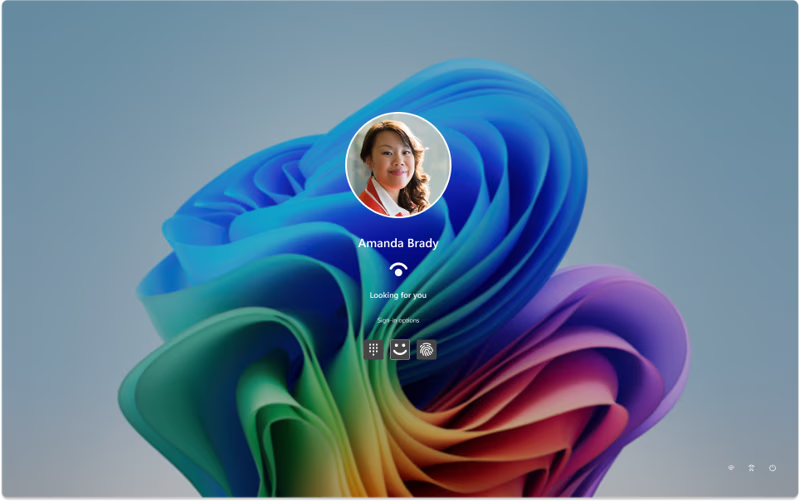
Third-party applications can sometimes interfere with Windows Hello. Open Task Manager (Ctrl + Shift + Esc), look for any camera-related apps, and end their processes. Restart your computer and test Windows Hello again. If the issue persists, check the Camera app. Open the Start menu, type ‘Camera,’ and launch it. If the app crashes or shows an error, it might indicate a deeper system issue. Try resetting the app via Settings > Apps > Camera > Advanced options > Reset. This will restore default settings and might resolve conflicts.
Adjusting Windows Hello settings could also help. Go to Settings > Accounts > Sign-in options. Under Windows Hello, select the camera option and click ‘Manage.’ Ensure the camera is selected as the preferred method. If it’s not listed, click ‘Add’ and follow the prompts to reconfigure the camera for facial recognition. If you’re using a laptop with a built-in camera, ensure no physical cover or obstruction is blocking the lens.
Another solution is to run the Windows Troubleshooter. Press Windows + I to open Settings, navigate to System > Troubleshoot, and select ‘Camera’ from the list. Run the troubleshooter and follow its recommendations. This tool can detect and fix common issues like missing drivers or incorrect permissions. If the troubleshooter fails to resolve the problem, consider checking the Group Policy Editor. Press Windows + R, type ‘gpedit.msc,’ and press Enter. Navigate to Computer Configuration > Administrative Templates > Windows Components > Windows Hello for Business. Ensure that ‘Allow Windows Hello for Business’ is enabled and configured properly.
If none of the above steps work, a system file corruption might be the cause. Open Command Prompt as an administrator and run the following commands: ‘sfc /scannow’ to scan for system file issues, and ‘DISM /Online /Cleanup-Image /RestoreHealth’ to repair damaged system files. After these commands complete, restart your PC and test Windows Hello again. Finally, ensure your Windows operating system is up to date. Go to Settings > Update & Security > Windows Update and install any pending updates. Reboot your device after updates are applied.
By systematically addressing potential causes like permissions, drivers, software conflicts, and system files, you can resolve the ‘Windows Hello couldn’t turn on the camera’ error. Start with the simplest solutions first, such as checking camera settings and updating drivers, before moving to more advanced troubleshooting steps like running the troubleshooter or repairing system files. If the issue persists after all these steps, consider contacting Microsoft support or consulting with a technician for further assistance.