
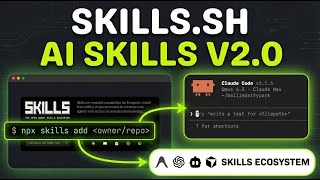
Have you ever watched the movie The Matrix and wished you could instantly download the ability to fly a helicopter directly into your brain? Vercel has recently launched a platform called skills.sh that essentially allows you to do this for Artificial Intelligence. By providing a centralized library of specific capabilities, or “skills,” this tool enables developers and creators to supercharge their AI agents. Today, we are going to explore how you can utilize this innovative platform to generate professional motion graphics using code, specifically focusing on the trending Remotion framework.
To understand why this launch is significant, we must first look at what Vercel has actually built. Skills.sh is a directory that collects best practices and instruction sets for various technical tasks. When you visit the site, you will notice a “Trending” section. Currently, the top trending skill is “Remotion Best Practices.” Remotion is a powerful library that allows developers to create videos using React, which is a popular coding language for building websites. The fact that this is trending suggests that many creators are looking for ways to automate video production for social media platforms like X, formerly known as Twitter. Instead of manually editing every frame, you can use code to generate animations, making the process faster and more scalable.
The process of using these skills is remarkably similar to the concept of “plugging in” knowledge. When you find a skill you want to use, such as the Remotion skill, you simply copy the installation command provided on the website. You then paste this command into your coding environment or AI agent terminal. In the example we are discussing, we utilize an advanced AI coding environment—often referred to as an agent—powered by a fast language model like Gemini Flash. Once you input the command, the AI analyzes the documentation and “learns” exactly how to write code for that specific tool. It is literally installing the knowledge of how to be a professional video editor into the AI’s memory for that session.
However, simply installing the skill is only the first step. When you ask the AI to generate a motion graphic—for example, an advertisement for a product like Harbor SEO—the initial result might be underwhelming. AI models can sometimes be “lazy” or generic if they are not given precise instructions. You might receive a video that has the correct motion but lacks your specific branding, logos, or color schemes. This is where the importance of iteration comes into play. You must guide the AI by providing specific feedback. In our case, we instructed the agent to locate the official logo using a search tool, apply the specific brand colors, and read the project’s internal rules to ensure the code quality was high.
After refining your prompt, the AI uses the Remotion skill to write a complex React component. To see the result, you typically run a command like npm start in your terminal, which opens a preview window. The difference between the first attempt and the second attempt is usually drastic. By forcing the AI to use the specific assets and design rules it “learned” from the skill, the output transforms from a generic template into a customized, professional-grade advertisement. This demonstrates that while skills.sh provides the technical know-how, your role as the human director is to ensure the creative vision is met.
Beyond just making videos, there is a valuable lesson here regarding digital marketing and Search Engine Optimization (SEO). Vercel created skills.sh not just as a helpful tool, but as a form of “link bait.” This is a strategy where a company builds a useful free resource to attract traffic and backlinks to their main business. Just as the video creator uses Remotion to drive views on social media, Vercel uses this platform to bring attention to their ecosystem. As you explore other skills on the list, such as “Programmatic SEO” or “Browser Use,” remember that these tools are designed to automate complex tasks, allowing you to build systems that would normally take humans hours to complete manually.
In summary, skills.sh represents a major step forward in how we interact with AI agents. It moves us away from vague prompting and towards specific, technical instruction sets that yield functional results. Whether you are interested in creating automated video content with Remotion or building large-scale web pages, the ability to “install” these skills is a game-changer. I highly recommend that you do not just stop at the first result your AI generates. Experiment with different skills, push the AI to use your specific assets, and always treat the initial output as a rough draft. By combining these powerful technical skills with your own creative direction, you can produce work that stands out in an increasingly automated world.