
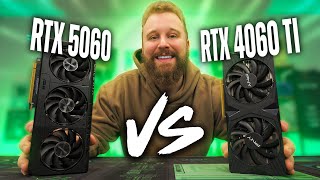
The budget GPU market is currently in a weird spot. Nvidia’s latest RTX 5060 has hit the shelves around the $300 mark, promising next-gen features, but the used market is absolutely flooding with the previous-gen RTX 4060 Ti for about $50 cheaper. As a PC builder, you have to ask yourself: is the shiny new box and warranty worth the extra cash, or does the older silicon still hold the crown for price-to-performance? We strapped both cards to a high-end test bench to find out.
Let’s break down the contenders before we get into the frame rates. On the blue corner, we have the RTX 4060 Ti, a card released back in May 2023. Our specific unit is a PNY model featuring 8GB of GDDR6 VRAM and a TDP of 160W. On the red corner, we have the fresh RTX 5060. Released in May 2025, this card bumps the interface up to PCIe Gen 5 x8 and sports 8GB of the much faster GDDR7 VRAM, all while sipping less power with a TDP of 145W. On paper, the 5060 looks like a slight efficiency upgrade, but raw performance is what really matters here.
To ensure we aren’t seeing any CPU bottlenecks, we threw these GPUs into a beastly rig powered by the Ryzen 7 9800X3D and 32GB of DDR5-6000 RAM. We wanted to see exactly what the graphics silicon could do without any excuses.
We started our testing with Battlefield 6 at 1080p High settings. The results were surprisingly close. The used 4060 Ti pushed out a respectable 115 FPS average with 1% lows sitting at 88. The shiny new 5060? It managed 120 FPS average with the exact same 1% lows. We are talking about a negligible 5-frame difference here. If you are just looking for a playable experience in massive shooters, the older card is hanging in there just fine. However, we did notice the 5060 running slightly more efficiently, which is a nice bonus if you pay your own electric bill.
Things got a bit more interesting when we jumped into Fortnite. We ran Performance Mode with low textures to simulate a competitive environment. Because we paired these cards with the 9800X3D, the frame rates were skyrocketing into the 500s. The 4060 Ti hit an average of 572 FPS, while the 5060 climbed to 587 FPS. While the averages look close, the 5060 had significantly better 1% lows (253 FPS vs 209 FPS). In a sweaty esports title, those 1% lows determine how smooth the game feels during intense box fights. The newer architecture and GDDR7 memory seem to handle those rapid frame spikes better than the older GDDR6.
We then shifted gears to 1440p testing with Call of Duty: Black Ops 7. This is where the generational gap finally started to show its teeth. At 1440p Balanced settings, the 5060 pulled ahead with 131 FPS compared to the 4060 Ti’s 116 FPS. That is a solid 13% jump in performance. It seems that newer game engines favor the architecture of the 50 series, giving you a bit more headroom for higher resolutions. If you plan on playing the absolute latest AAA titles at 1440p, that extra $50 is actually buying you noticeable frames.
However, it wasn’t a total sweep. In Monster Hunter Wilds with DLSS enabled, the cards were dead even, sitting at around 88-89 FPS. This proves that in some titles, raw rasterization power hasn’t jumped massively between these tiers. It really depends on the game engine and optimization.
Here is a quick breakdown of how you should choose between these two based on our data:
- Assess Your Risk Tolerance
Buying used is always a gamble. The 4060 Ti saves you $50 upfront, which is enough to double your RAM capacity or buy a better SSD. However, you are likely getting a card with little to no warranty. The 5060 comes with that peace of mind and a standard 1-3 year manufacturer warranty. - Check Your Main Games
If you are strictly an esports grinder playing CS2 or Fortnite, the 5060 offers better stability and 1% lows. In our CS2 test, the 5060 hit 372 FPS versus the 4060 Ti’s 350 FPS. It’s a small edge, but competitive players care about every frame. - Consider the Resale Value
The 5060 uses GDDR7 and PCIe Gen 5. While Gen 5 doesn’t matter much for gaming right now, it will hold its value better in the long run compared to the older Gen 4/3 architecture of the 40 series. - Look at the Cost Per Frame
Strictly speaking, the used 4060 Ti wins on pure math. In 3DMark Time Spy, the cost per point was lower on the older card. If you are on an extremely strict budget, the 4060 Ti is the better “bang for buck” mathematically, provided it doesn’t die on you in six months.
So, is the RTX 5060 worth the premium? If you have the extra cash, yes. The jump to GDDR7, better power efficiency, and stronger performance in newer titles like Black Ops 7 make it a solid entry-level 1440p card. Plus, not having to worry about a used card dying on you is worth a premium for many people. However, if you are scraping pennies together for a budget build and you find a clean 4060 Ti for $250, you aren’t missing out on much. It is still a very capable GPU that trades blows with its younger brother in many titles. Just make sure the seller is reputable before you click buy.