

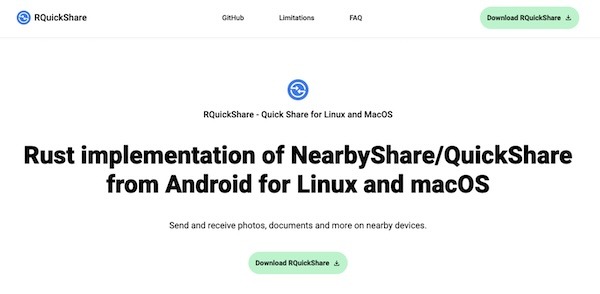
RQuickShare is a Rust implementation of the smartphone NearbyShare/QuickShare feature for Linux and macOS. It’s a free, open-source, lightweight tool designed to seamlessly transfer files between desktops and smartphones. The application is designed with simplicity in mind, offering very few options in the settings; you can only adjust the default bootup settings, run in background settings, and change the download directory to something else.
The RQuickShare package is available in two variants: main and legacy. The main variant offers future support and the latest features, while the legacy variant is only for use if you’re on an older version of your Linux distribution, though it is not recommended. You can install it on your Linux system using the DEB package for Debian and Ubuntu-based distributions, the RPM package for Red Hat and Fedora-based distributions, or the Snap package. If you dislike installing applications on your system, it also comes as an AppImage that you can use without installing.
To start, visit the GitHub download page and download the appropriate distribution package for your Linux system. Once the download is complete, open your terminal from the application launcher or use the Ctrl+Alt+T shortcut, then follow one of the provided instructions below to install it on your Linux system.
On Debian and Ubuntu-Based Distributions
# Navigate to the downloads directory
$ cd ~/Downloads/

# Install the DEB Package
$ sudo apt install ./r-quick-share-main_*_amd64.deb
On Red Hat and Fedora-Based Distributions
# Navigate to the downloads directory
$ cd ~/Downloads/

# Install the RPM Package
$ sudo rpm install ./r-quick-share-main_*-x86_64.rpm
On Arch and Manjaro-Based Distributions
For Arch Linux, you can quickly install it from the AUR (Arch User Repository) using an AUR helper such as Yay.
$ yay -S r-quick-share
Using Snap Package
It’s not currently available on the Snap Store, but you can download the Snap package and install it using the following command:
# Navigate to the downloads directory
$ cd ~/Downloads/

# Install the Snap Package
$ sudo snap install --dangerous r-quick-share_*_amd64.snap
Using AppImage
The AppImage requires libfuse to function properly, so make sure it is installed on your Linux distribution before using the RQuickShare AppImage.
# On Debian and Ubuntu-based distributions
$ sudo apt install libfuse2

# On Red Hat and Fedora-based distributions
$ sudo yum install fuse fuse-devel
Once the installation is complete, you can navigate to the download directory, assign executable permissions, and run it just like a shell script.
# Navigate to the downloads directory
$ cd ~/Downloads/

# Assign Executable Permission
$ sudo chmod u+x ./r-quick-share-main_*_amd64.AppImage

# Launch AppImage
$ ./r-quick-share-main_*_amd64.AppImage
Once launched, RQuickShare will scan for nearby devices (with Quick Share) connected to the same network. To customize settings like auto-launch on boot, keeping the application running in the background, and the default download directory, click the gear icon in the top right corner. When you’re ready to transfer a file, simply drag and drop or select your file, and make sure both devices are on the same Wi-Fi network. Once the other device is discovered, click on it to share your file from your desktop to your smartphone.
RQuickShare is a fantastic tool that lets you easily share files between your desktop and smartphone. Most modern smartphones come with QuickShare or NearbyShare, so you don’t need any external applications installed on your smartphone; just install RQuickShare on your desktop and start sharing your files.