
Imagine having a genius assistant who lives on the internet and spends every second organizing your life, but only works for you. That is exactly what Zo Computer is trying to build. We are moving away from big companies owning our data and toward a future where everyone has their own personal “brain” in the cloud.
The concept of a personal computer hasn’t changed much in decades, but Rob Cheung, the CEO of Zo Computer, believes it is time for a massive upgrade. At its core, Zo is an “intelligent personal cloud computer.” For those of you who are tech-savvy, this means it is an industrial-grade server instance that acts as your private digital home. Unlike a traditional laptop, this computer is mostly operated by your own personal AI. You don’t just click icons; you talk to it.
One of the most powerful features is the shift from corporate clouds to personal infrastructure. Currently, when you use a “cloud,” you are usually just renting space from a giant company like Google or Apple. They set the rules. With Zo, the cloud is yours. It is “always on,” meaning it can host web services, run databases, and manage networking tasks 24/7 without you needing to leave a physical device running. It utilizes a fluid and elastic hardware model, which technically means you can instantly switch your computer’s power to a high-end GPU if you need to run complex AI models or heavy data processing.
The real magic happens with what Rob calls “Personal Data Science.” We all generate massive amounts of data every day—iMessages, Twitter (X) posts, health logs from our watches, and even genetic information from services like 23andMe. Usually, this data just sits there, doing nothing. Zo uses automated ETL pipelines (Extract, Transform, Load) to pull all this information into a central system. It often uses a high-performance database called DuckDB to organize this “bag of stuff” into something useful.
Think about the possibilities. Instead of just having a list of old messages, your Zo could create an “iMessage Wrapped,” showing you who you talk to most or how your mood changes over time. During his presentation, Rob showed how he integrated his genetic data into his Zo. Because he had his full SNP (Single Nucleotide Polymorphism) profile stored in his personal cloud, he could cross-reference it with the latest medical research. He actually discovered that his body metabolizes morphine differently than most people, which allowed him to give his surgeon vital information before a procedure. This is data science used for personal survival, not just for corporate profit.
The interface is also a huge departure from what we are used to. While you can still use a file system or even SSH (Secure Shell) into the machine for technical work, most interactions happen through text. You can literally send a text message to your computer via iMessage. You might ask, “What movies should I watch based on my ratings?” The AI agent then queries your database, looks at your history on sites like Letterboxd, and gives you a reasoned recommendation. It feels less like using a tool and more like collaborating with a partner.
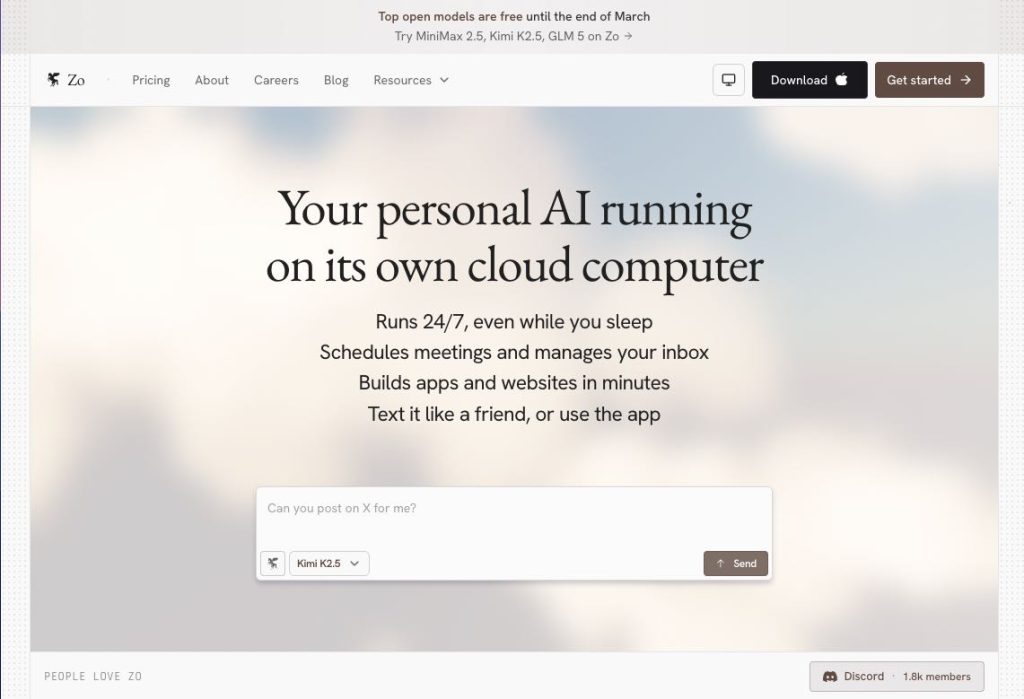
We are entering the era of the “Agentic Internet.” In this future, the internet isn’t just a place where you browse pages; it’s a place where your AI agents talk to other systems on your behalf. Zo is designed to be the “intelligent mailbox” or the home base for these agents. By having your own personal infrastructure, you can run automations that are bespoke—meaning they are custom-made just for your specific life goals, whether that’s training for a marathon or managing a complex investment portfolio.
Rob emphasizes that while big companies are “living in the future,” regular people have been left behind. Zo aims to give every individual the same power that a whole software company has. It’s about taking the “bag of random data” we all have and turning it into a living system that makes our lives better, healthier, and more organized.
This shift represents a fundamental change in our relationship with technology. Instead of being the product that big tech companies sell, you become the architect of your own digital world. As we see more AI integration into our daily lives, having a secure, personal place to store and process that information becomes more than just a luxury—it becomes a necessity for maintaining our digital autonomy.
The transition to personal cloud computing might seem complicated at first, but it is the natural evolution of the internet. I strongly suggest you start thinking about your “digital footprint” not as a trail of crumbs you leave behind, but as a valuable resource you should own. To learn more, you can explore the concepts of agentic workflows or look into how private server instances work. The future of computing isn’t just in your pocket; it’s in a cloud that you—and only you—control.
Website: https://www.zo.computer/