
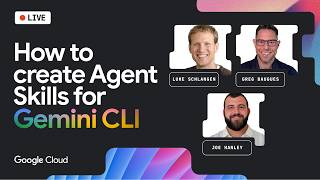
Hello class! Have you ever wished your AI assistant knew exactly how you liked to work without you having to remind it every single time? Today, we are going to explore the world of Gemini CLI Agent Skills. It is like giving your digital assistant a specific instruction manual for all your favorite projects!
Imagine you are using a tool to build a website or a game. Usually, you have to explain your rules over and over. However, with Agent Skills, you can package those instructions into a special format that the AI understands automatically. In a recent discussion at Google Cloud Live, experts Joe Hanley and Luke Schlangen showed us exactly how this works. Let’s break down the technical parts so you can start building your own skills today.
What Exactly Are Agent Skills?
To understand Agent Skills, we first need to look at how AI agents interact with tools. You might have heard of the Model Context Protocol (MCP). Joe Hanley uses a great analogy for this: if an MCP server is a shovel (a tool to do a job), then an Agent Skill is the book on the shelf titled “How to Dig a Hole.”
One gives the agent the ability to do something, while the other gives it the specific instructions and best practices on how to use those tools correctly. Skills are essentially packaged instructions and scripts that extend what an agent can do. They are written in a mix of technical formats like YAML and Markdown, which are very easy to read once you get the hang of it.
Why Should We Use Skills Instead of Just Searching?
A common question is: “Why can’t I just let the AI search Google for the answers?” While searching is great, it often brings back too much information. This uses up something called “tokens.” You can think of tokens like the energy an AI uses to think. If you give the AI 100,000 tokens of documentation at once, it might get confused or become very slow.
Agent Skills use a clever method called “progressive disclosure.” This means the agent only looks at the specific information it needs at that exact moment. For example, if you are working on a login screen, the agent will only activate the “Authentication Skill” and ignore everything else. This makes the agent faster, more accurate, and much cheaper to run.
How to Install and Use Existing Skills
Before you build your own, you should know how to use the ones already made by the community. Google has released a set of skills specifically for Firebase, which is a platform for building apps.

To install these, you use a command-line interface (CLI). In your terminal, you would type:
npx skills add firebase/skills
This command lets you choose which skills you want, such as “app-hosting” or “firestore-basics.” You can install these globally on your computer or just for one specific project. Once installed, when you start your Gemini CLI session, the agent will see these skills and wait for the right moment to use them.
Building Your Very Own Custom Skill
Now for the fun part: making your own! A skill is made up of a few different parts stored in a folder inside a hidden directory called .agents/skills/.
- The Front Matter (YAML): This is at the very top of your SKILL.md file. it tells the agent the name of the skill and a short description. The description is very important because that is how the AI knows when to “wake up” the skill.
- The Markdown Body: This is where you write your instructions. You can use standard Markdown headers and bullet points to explain your coding standards, your favorite tools, or even your personal project preferences.
- References and Scripts: If your skill is very large, you can split it into multiple files. You can also include Python or JavaScript scripts that the agent can actually run to perform tasks for you.
For example, if your team has a specific way of naming variables, you can put that in a skill. When the agent starts writing code and sees it is in your project, it will automatically follow those rules without you ever asking.
Conclusion
The biggest difference between a “custom prompt” and an “Agent Skill” is how they start. You have to manually type a prompt every time. However, a skill is “agent-invoked.” The Gemini CLI is smart enough to monitor the conversation. If it detects that you are asking about a topic covered by one of your skills, it will ask for permission to activate it. Once you say yes, it loads that specific context and becomes an expert in that area instantly.
As you start your journey into AI development, remember that these tools are evolving very fast. The best way to learn is to experiment. Try taking your class notes or a project style guide and turning it into a Gemini CLI Skill. You will be surprised at how much more helpful your AI becomes when it finally understands your “instruction manual.” I recommend checking out the official Google Cloud GitHub repositories to see more examples of how professional developers are structuring their skills. Happy coding, class!