

Have you ever wondered if you could have your own private version of GitHub? Most developers rely on big companies to store their code, but what if you could do it all yourself in a sovereign home lab? Today, we are exploring why self-hosting might be your best bet for privacy.
When you access a website or a blog on the internet, you are typically connecting to a server that serves files. In a modern setup, those files are often running inside a container. This container is frequently managed within a Kubernetes cluster. For many enthusiasts, running this infrastructure at home—often called a “home lab”—provides total control over the software lifecycle. However, the true power of a home lab is realized when you move the entire development process, including the source code and CI/CD pipelines, away from third-party providers like GitHub and onto your own hardware.
To understand why this is important, we must first distinguish between Git and GitHub. It is a common misconception that they are the same. Git is a version control system created by Linus Torvalds, the father of Linux. It is a tool used to manage the versioning of files, allowing teams to track changes and collaborate without overwriting each other’s work. GitHub, on the other hand, is a hosting service owned by Microsoft that provides a place to store your Git repositories. While GitHub is incredibly convenient, using it means you are hosting your intellectual property on someone else’s computer.
Privacy and data sovereignty are the primary drivers for moving away from centralized platforms. In the current era of artificial intelligence, models are trained on massive datasets. Platforms like GitHub and Stack Overflow serve as primary sources for training code-writing AI. When you host your code on a public or even a private repository on a corporate platform, you are essentially agreeing to their terms of service, which may allow them to scan and utilize your data. For private projects, such as a custom note-taking system or proprietary software, this level of exposure is often unacceptable.
This is where Forgejo comes into play. Forgejo is a self-hosted Git service that is a community-led fork of Gitea. It provides a lightweight, easy-to-install, and feature-rich alternative to GitHub. The project is committed to being 100% free and open-source software forever. It includes everything you would expect from a professional Git platform: a clean user interface, issue tracking, pull requests, and a built-in container registry.
One of the most powerful features of Forgejo is its support for “Actions.” Similar to GitHub Actions, Forgejo allows you to run automated CI/CD (Continuous Integration/Continuous Deployment) pipelines. This means that when you commit code to your repository, Forgejo can trigger a series of events. For instance, it can check out your code, run security tests, build a container image using Docker or Podman, and push that image to your private registry. Finally, it can signal your Kubernetes cluster to pull the new image and update the live application. By running your own Actions runner, you bypass the limitations and potential costs of third-party CI/CD services.
Furthermore, Forgejo offers a “mirroring” feature that is essential for long-term project stability. You can configure your Forgejo instance to mirror public repositories from GitHub. Every day, your server will check for updates and pull the latest code and commit history to your local infrastructure. This protects you against “repo-nuking,” where a project owner or a corporation deletes a repository you rely on. If the original source disappears from the internet, you still have a complete, functional copy on your own hardware.
If you are interested in trying this out, the easiest way to start is by using Docker or Podman. You can deploy a Forgejo instance by running a simple container command. By exposing port 3000 for the web interface and port 22 (or a custom port) for SSH connections, you can have a fully functional Git server running in minutes. For those using more advanced setups like Kubernetes, you can manage Forgejo using YAML manifests. This allows you to define your infrastructure as code, ensuring that your Git server is resilient and scalable.
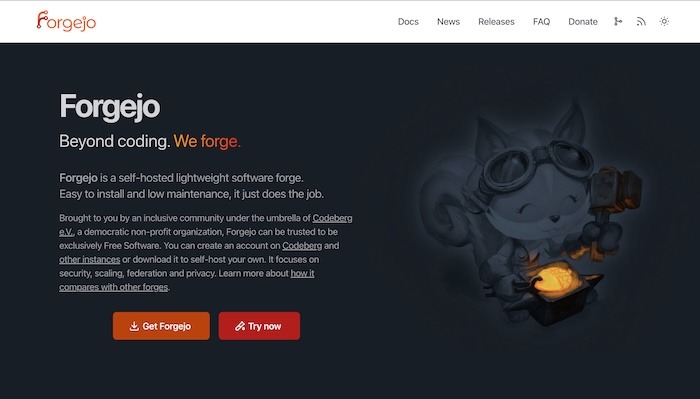
Choosing Forgejo over other alternatives like GitLab or Gitea often comes down to the philosophy of the project. While GitLab is a powerful enterprise tool, it can be extremely resource-heavy and complex to manage in a small home lab. Gitea is excellent but has moved toward a more commercial model. Forgejo, being community-driven and used by platforms like Codeberg, represents the true spirit of open-source sovereignty. It is an investment in your skills and your digital independence.
In conclusion, self-hosting your development stack is a significant step toward becoming a truly independent developer. By using Forgejo within a home lab environment, you gain total privacy, protect your projects from external changes, and learn the technical intricacies of CI/CD and container orchestration. It is a rewarding challenge that provides professional-grade tools without the corporate strings attached. I highly recommend starting with a simple Docker installation to see how Forgejo can transform your workflow. Once you experience the speed and privacy of a local Git instance, you may find it difficult to go back to centralized hosting. Explore the documentation, experiment with automated pipelines, and take ownership of your code today.