

DietPi 10.1 is a lightweight, Debian-based Linux operating system specifically tailored for single-board computers (SBCs) and ARM-based devices. This version represents a significant refinement of the DietPi ecosystem, offering a highly optimized environment that minimizes resource usage while maximizing performance for low-power hardware like the newly supported NanoPi Zero2.
A Deeper Look at DietPi 10.1 Technical Improvements
The core philosophy of DietPi has always been about “less is more.” With the release of version 10.1, the developers have doubled down on efficiency. The primary highlight of this update is the official support for the NanoPi Zero2. For those unfamiliar, the NanoPi Zero2 is a compact, affordable SBC from FriendlyElec featuring an ARM Cortex-A53 processor. By integrating support for this specific hardware, DietPi 10.1 allows users to run complex IoT applications or home automation setups on a device with a very small footprint without the OS bloating the system’s limited resources.
Technical performance has been boosted through a revamped hardware detection system. This system now automatically identifies peripherals—ranging from WiFi adapters to Bluetooth modules and even specific GPIO pin configurations—during the initial setup. This means the OS applies the necessary drivers and kernel tweaks on the fly, reducing the manual labor usually required in Linux environments. Furthermore, the kernel itself has been updated to ensure that the hardware runs stably under long-term loads, which is crucial for embedded systems that are meant to run 24/7.
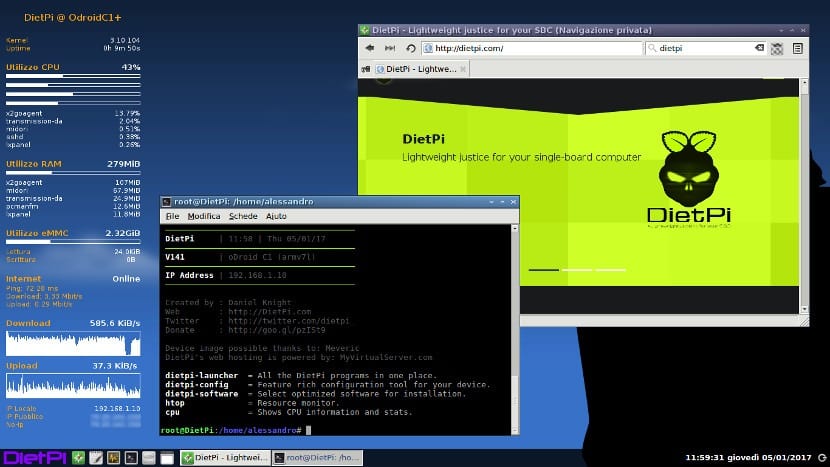
The installer has also seen a major overhaul. It is now more streamlined, reducing the time from flashing the SD card to reaching a functional command line. Users can select from various hardware profiles, ensuring that the software stack is perfectly aligned with the specific board being used. Additionally, the package management system has been updated to include the latest stable versions of Python, Node.js, and MariaDB. This ensures that developers are working with modern tools while benefiting from the latest security patches.
How to Use the New DietPi-USB Management Tool
One of the most practical additions in DietPi 10.1 is the DietPi-USB tool. This utility simplifies how you interact with external storage. Here is how you can manage your drives using this new feature:
- Launch the Tool: Access the DietPi-USB utility via the main DietPi software menu or by typing the command directly in the terminal. This opens a dedicated interface for storage management.
- Device Identification: The tool will automatically list all connected USB drives. You can see details such as the file system type, capacity, and current mount status without needing to remember complex lsblk or fdisk commands.
- Formatting and Partitioning: Select a specific drive to format it. The tool provides options for various file systems like Ext4 or FAT32, which is particularly useful if you are setting up a local media server or a data logger.
- Mounting the Drive: Once formatted, you can mount the drive to a specific directory. DietPi-USB handles the technical side of updating the /etc/fstab file so that your drive remains mounted even after a system reboot.
- Real-Time Monitoring: You can keep the tool open to monitor data transfer activity. This helps in diagnosing if a drive is performing slowly or if there are connection issues during large file transfers.
DietPi 10.1 is more than just a minor version bump; it is a vital update for anyone serious about SBC projects. The inclusion of NanoPi Zero2 support and the introduction of user-friendly tools like DietPi-USB and DietPi-Backup demonstrate a clear path toward making Linux more accessible for hobbyists while remaining robust for professionals. The improved memory allocation and network stability fixes make it a reliable choice for critical IoT deployments where downtime is not an option.
If you are currently running an older version of DietPi or are planning to start a new project with a NanoPi or Raspberry Pi, I highly recommend performing a clean install of version 10.1. The time saved during the initial configuration and the peace of mind provided by the new backup utilities make it a worthwhile transition for any embedded system enthusiast.