
Skip to content
Tutorial emka
Menu
  • Home
  • Debian Linux
  • Ubuntu Linux
  • Red Hat Linux
Menu
windows pain points explained

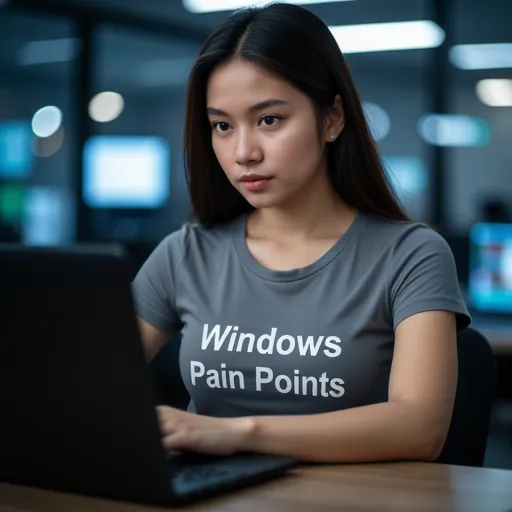
Microsoft Will Fix Windows 11 Performance and User Experience Issues in 2026

Posted on January 31, 2026

Windows 11 is the latest major operating system developed by Microsoft, serving as the successor to Windows 10 and featuring a redesigned interface alongside integrated artificial intelligence capabilities. After months of facing harsh criticism from users regarding poor experiences, problematic updates, and the perception that the company is overly focused on “forced” AI features, Microsoft has finally issued an official statement promising significant changes.

Based on a statement from Pavan Davuluri, the Head of Windows at Microsoft, the company acknowledges that they have heard “clear” complaints from loyal Windows Insider users. Davuluri stated that 2026 will be the year Microsoft focuses on fixing the most frustrating issues for its user base. He noted that the feedback received from the community of passionate customers and Windows Insiders has been heard, and the company needs to improve Windows in ways that are truly meaningful for people. Throughout this year, Microsoft plans to focus on addressing consistent pain points, specifically aiming to improve system performance, reliability, and the overall Windows experience.

Furthermore, according to information from The Verge, Davuluri also addressed complaints from Windows Insiders regarding the deterioration of the beta program and the fading enthusiasm of a community that was once highly engaged. Based on widespread complaints across forums and social media, there are several primary pain points that users expect Microsoft to handle immediately.

These include system performance and stability issues such as updates causing blue screens of death, excessive battery drain, and system lag. Users are also demanding a more consistent experience, which involves bringing back simple yet useful features that were removed, creating a more intuitive interface, and eliminating intrusive advertisements or promotions within the operating system.

Additionally, there is a strong call for better update quality to prevent users from feeling like involuntary “beta testers” for buggy releases, and a desire to revive the Windows Insider program as a space for authentic collaboration rather than just a distribution channel for unfinished features.

This statement from Pavan Davuluri serves as a positive signal that user feedback has finally reached the executive level at Microsoft. However, restoring user trust will not be a quick process, and Microsoft must begin proving its commitment through concrete actions. Whether 2026 will truly mark a turning point or remain an unfulfilled promise remains to be seen.

The pressure from the user base has been remarkably intense, even leading some Microsoft executives to disable social media comments—a move that previously reinforced the impression that the company was ignoring criticism. Moreover, January 2026 was recorded as one of the worst months in terms of bugs and Windows 11 issues, further eroding user confidence.

Recent Posts

  • Is it Time to Replace Nano? Discover Fresh, the Terminal Text Editor You Actually Want to Use
  • How to Design a Services Like Google Ads
  • How to Fix 0x800ccc0b Outlook Error: Step-by-Step Guide for Beginners
  • How to Fix NVIDIA App Error on Windows 11: Simple Guide
  • How to Fix Excel Formula Errors: Quick Fixes for #NAME
  • How to Clear Copilot Memory in Windows 11 Step by Step
  • How to Show Battery Percentage on Windows 11
  • How to Fix VMSp Service Failed to Start on Windows 10/11
  • How to Fix Taskbar Icon Order in Windows 11/10
  • How to Disable Personalized Ads in Copilot on Windows 11
  • What is the Microsoft Teams Error “We Couldn’t Connect the Call” Error?
  • Why Does the VirtualBox System Service Terminate Unexpectedly? Here is the Full Definition
  • Why is Your Laptop Touchpad Overheating? Here are the Causes and Fixes
  • How to Disable All AI Features in Chrome Using Windows 11 Registry
  • How to Avoid Problematic Windows Updates: A Guide to System Stability
  • What is Microsoft Visual C++ Redistributable and How to Fix Common Errors?
  • What is the 99% Deletion Bug? Understanding and Fixing Windows 11 File Errors
  • How to Add a Password to WhatsApp for Extra Security
  • How to Recover Lost Windows Passwords with a Decryptor Tool
  • How to Fix Python Not Working in VS Code Terminal: A Troubleshooting Guide
  • Game File Verification Stuck at 0% or 99%: What is it and How to Fix the Progress Bar?
  • Why Does PowerPoint Underline Hyperlinks? Here is How to Remove Them
  • AI Bug Hunting with Semgrep
  • What is the Excel Power Query 0xc000026f Error?
  • How to Build Your Own Homelab AI Supercomputer 2026
  • Inilah Daftar Kode Redeem Blox Fruits Terbaru dan Cara Pakainya Biar Cepat Level Max!
  • Ini Trik Supaya YouTube Shorts Kalian Ranking 1 di Pencarian
  • Inilah Daftar Kode Redeem Fish It Roblox Terbaru April 2026 dan Cara Klaimnya Biar Mancing Makin Gacor!
  • Inilah Cara Tarik Saldo Cool Lady, Game Penghasil Uang yang Lagi Viral dan Terbukti Membayar!
  • Inilah Kode Redeem Drag Drive Simulator April 2026, Simak Trik Rahasia Biar Menang Balapan Terus!
  • How to Master NemoClaw and OpenShell for a Protected Virtual Assistant Experience
  • How to Create Realistic AI Influencer Video with LTXVideo and ComfyUI (Workflows + Tools)
  • How to Master Google Flow and Create Stunning AI Videos Like a Pro!
  • How to Make Your Study Material with Google’s NotebookLM: New AI Quizzes and Flashcards Explained
  • How to Solving OpenClaw Memory Issues with MemPalace!
  • Apa itu Spear-Phishing via npm? Ini Pengertian dan Cara Kerjanya yang Makin Licin
  • Apa Itu Predator Spyware? Ini Pengertian dan Kontroversi Penghapusan Sanksinya
  • Mengenal Apa itu TONESHELL: Backdoor Berbahaya dari Kelompok Mustang Panda
  • Siapa itu Kelompok Hacker Silver Fox?
  • Apa itu CVE-2025-52691 SmarterMail? Celah Keamanan Paling Berbahaya Tahun 2025
©2026 Tutorial emka | Design: Newspaperly WordPress Theme