
Skip to content
Tutorial emka
Menu
  • Home
  • Debian Linux
  • Ubuntu Linux
  • Red Hat Linux
Menu
maia 200 accelerator

Microsoft Launches Maia 200: The New 3nm AI Accelerator Outperforming Google and Amazon

Posted on January 31, 2026

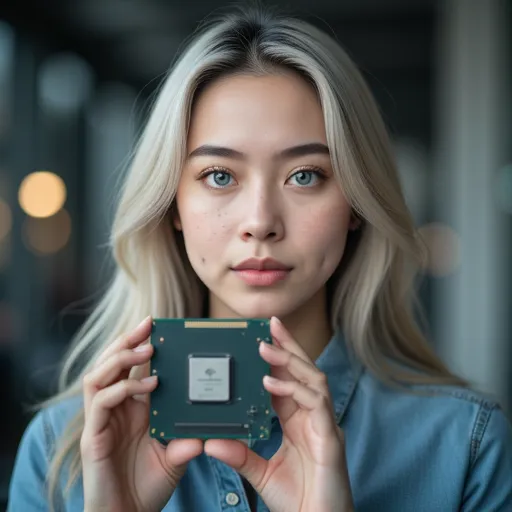
Recently, Microsoft officially launched Maia 200, its second-generation in-house AI accelerator focused specifically on inference workloads. This announcement marks a significant leap in Microsoft’s independent silicon strategy, while simultaneously posing a direct challenge to main competitors like Google and Amazon in the field of AI cloud computing.

Based on the announcement, Maia 200 is built upon the foundation of Maia 100, with the primary difference lying in the process technology and the resulting efficiency. While Maia 100 utilized TSMC’s 5nm process, Maia 200 has transitioned to the newer TSMC 3nm process, which allows for increased transistor density and better power efficiency.

From a specification standpoint, the Maia 200 is quite impressive, supporting 216GB of HBM3e with bandwidth reaching 7 TB/s. It also features 272MB of on-chip SRAM to accelerate data access, native Tensor core support for FP8 and FP4, and is equipped with an integrated Network-on-Chip (NoC) with a bidirectional bandwidth of 2.8 TB/s. This enables ultra-fast communication within large clusters of up to 6,144 accelerators.

Microsoft also publicly released a comparison table placing Maia 200 directly against competing chips. Based on the released data, Maia 200 produces FP8 performance nearly double that of Amazon’s third-generation Trainium accelerator and approximately 10% higher than Google’s seventh-generation TPU. These performance claims demonstrate Microsoft’s confidence that they are not only catching up but have also surpassed the pioneers in the field of custom AI silicon.

In addition to much better performance, Microsoft emphasized the business efficiency aspect of Maia 200, claiming that this new accelerator offers 30% better performance-per-dollar compared to the latest generation hardware currently utilized in Azure. Furthermore, unlike the Maia 100 which was announced long before its actual implementation, Maia 200 has already been deployed and is currently operational.

Reportedly, this chip has been deployed in Microsoft data center regions in US Central (near Des Moines, Iowa) and US West 3 (near Phoenix, Arizona), showcasing design maturity and production readiness. To support this infrastructure, Microsoft recently collaborated with SK Hynix for an exclusive RAM supply. Overall, the launch of Maia 200 is not merely a product update but a strategic statement from Microsoft that they are serious about developing independent silicon solutions that are not only cost-effective but also capable of competing directly with the best in the industry today.

Recent Posts

  • What is Claude Cowork? And How Claude Cowork Uses Agentic AI
  • PocketBlue and Red Hat Bring Fedora Atomic Linux to Mobile Devices
  • Mozilla Ends Firefox Support for Windows 7, 8, and 8.1: What You Need to Know
  • Cosmic Desktop 1.0.7 Enhances Workspace Management: What’s New?
  • KDE Plasma 6.6 Released: What’s New and How to Upgrade?
  • Nginx Proxy Manager 2.14 Removes ARMv7 Support: What Users Need to Know
  •  KDE Plasma 6.6: A Complete Guide to the Latest Linux Desktop Features
  • Ubuntu 26.04 Resolute: Features, Release Date, and Everything You Need to Know
  • How to Fix Steam File Validation Error: Easy Steps for Beginners
  • 5 Essential PC Maintenance Tips to Keep Your Computer Fast and Healthy
  • What is Logseq? Forget Standard Notes App, Use this to Boosts Real Productivity
  • LibreOffice 25.8.5 Released with 62 Bug Fixes: What’s New?
  • Oracle’s New Plan for MySQL Community Engagement Explained
  • PipeWire 1.6 Brings LDAC Support and 128-Channel Audio: What’s New?
  • How to Fix Roblox Error: Create Support Files to Solve the Problem
  • Why Segmenting Your Home Network with VLANs Is the Upgrade You Didn’t Know You Needed
  • Proxmox 2026 Has The Best Backup and Recovery Feature
  • How to Calibrate Temperature and Humidity Sensors for Maximum Accuracy
  • Top Open-Source Alternatives to Adobe Creative Cloud for Design and Editing in 2026
  • TinyMediaManager: A Plugin to Organize and Manage Jellyfin Media Library
  • How to Fix Disappearing Chart Labels in Excel: A Step-by-Step Guide
  • How to Fix the Subscript Out of Range Error in Microsoft Excel
  • What’s New in Podman 5.8: Quadlet & SQLite Migration Explained
  • Microsoft Fixes Old Windows 10 Bug Affecting Parental Controls
  • OpenVPN 2.7 Released with Multi-Socket Support Explained
  • Beda BRIVA dan Rekening? Ini Penjelasannya!
  • Pahami Perbedaan Kode SIEX, SIPX, dan SISX dengan Mudah!
  • Arti SPT Sebelumnya Tidak Ada dari BPS yang Perlu Kalian Pahami
  • Kode Error 205 di BCA Mobile: Penyebab dan Solusi Lengkap
  • Solusi Cepat Saat Voucher Axis Tidak Bisa Diproses
  • Prompt AI Menyusun Script Pola Suara Karakter agar Brand Jadi Ikonik
  • Prompt AI untuk Merancang Karakter Brand yang Ikonik
  • Prompt AI Audit Konten Sesuai Karakter Brand
  • Prompt AI Merubah Postingan LinkedIn Jadi Ladang Diskusi dengan ChatGPT
  • Prompt AI: Paksa Algoritma LinkedIn Promosikan Konten Kalian
  • Apa itu Spear-Phishing via npm? Ini Pengertian dan Cara Kerjanya yang Makin Licin
  • Apa Itu Predator Spyware? Ini Pengertian dan Kontroversi Penghapusan Sanksinya
  • Mengenal Apa itu TONESHELL: Backdoor Berbahaya dari Kelompok Mustang Panda
  • Siapa itu Kelompok Hacker Silver Fox?
  • Apa itu CVE-2025-52691 SmarterMail? Celah Keamanan Paling Berbahaya Tahun 2025
©2026 Tutorial emka | Design: Newspaperly WordPress Theme